


Modern applications require scalability, flexibility, and faster deployments. Traditional monolithic architectures often struggle to handle these demands. This is where microservices architecture becomes highly valuable.
Microservices break an application into small, independent services that communicate through APIs. When combined with Docker containerization, microservices become easier to deploy, scale, and maintain.
In this article, we will explore how to build a simple microservice using ASP.NET Core and run it inside a Docker container.
Understanding Microservices Architecture
Microservices architecture divides an application into multiple independent services, each responsible for a specific business capability.
Key Characteristics
-
- Independent deployment
- Scalability of individual services
- Technology flexibility
- Improved fault isolation
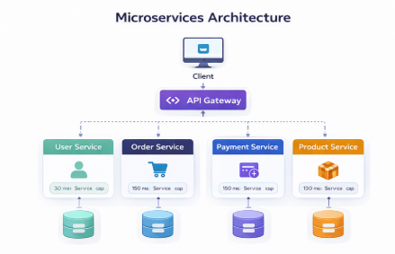
Microservice Architecture
Why Use Docker with Microservices
Docker packages applications and their dependencies into portable containers.
Benefits
-
- Consistent environments across development and production
- Easy deployment
- Isolation between services
- Simplified scaling
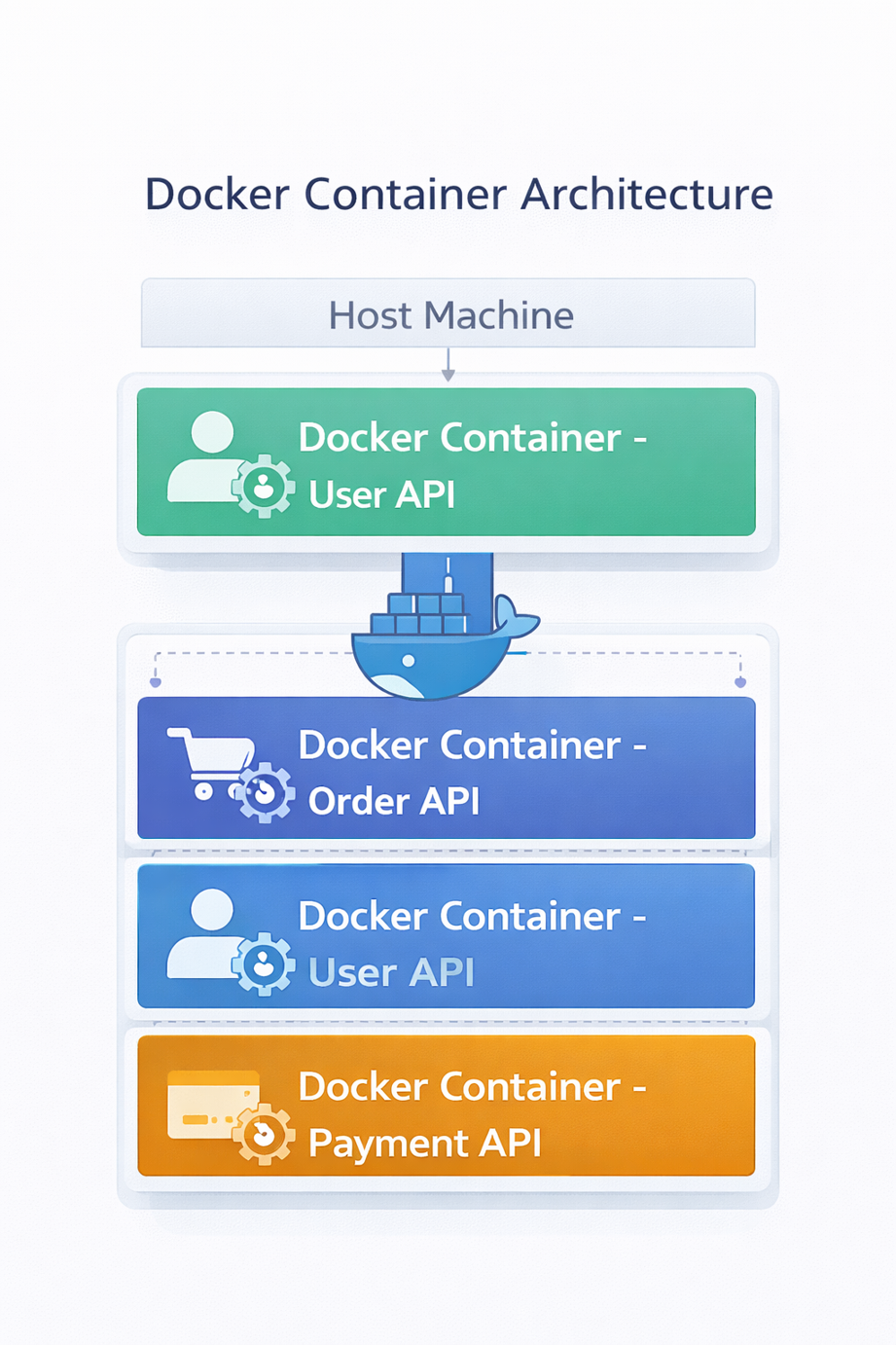
Docker Container Architecture
Step 1: Create a Microservice Using ASP.NET Core
Create a new Web API project.
Command
dotnet new webapi -n ProductService
cd ProductService
This creates a basic ASP.NET Core API project.
Example Controller
Create a simple controller.
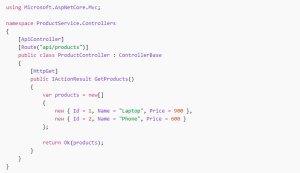
Product Controller
Step 2: Run the Microservice
Run the application locally.
dotnet run

Run Microservice
Step 3: Create a Dockerfile
Now we containerize the application using Docker.
Create a Dockerfile in the root directory.
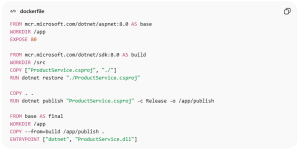
Docker File
Step 4: Build the Docker Image
Run the following command.
docker build -t productservice .
This creates a Docker image for the microservice.
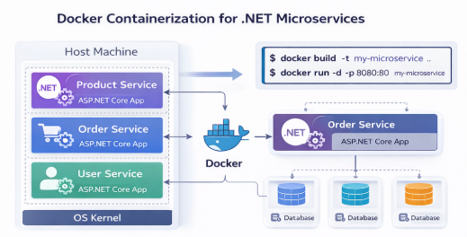
Containerization
Step 5: Run the Container
Start the container using:
docker run -d -p 8080:80 productservice
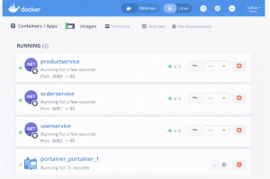
Docker
Microservices Communication
In real-world applications, microservices communicate using:
-
- REST APIs
- gRPC
- Message brokers (RabbitMQ, Kafka)
- API gateways
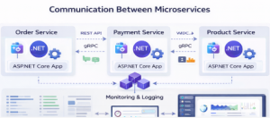
Communication
Best Practices for .NET Microservices
-
- Use API Gateway
- Implement centralized logging
- Use Docker Compose or Kubernetes
- Maintain independent databases
- Implement health checks and monitoring
Conclusion
Microservices architecture allows developers to build scalable, modular, and maintainable applications. Combining ASP.NET Core with Docker simplifies deployment and ensures consistent environments across development and production.
By containerizing services, organizations can adopt modern DevOps practices and scale applications efficiently.

Technology Purpose