


Building a scalable frontend deployment pipeline with automated CI/CD, custom domains, and global delivery
Introduction
Frontend applications of today need fast deployments, scalability, global reach, and low operational overhead. But plenty of organizations still use traditional server-based hosting where deployments require manual configuration, SSH access, server maintenance, SSL handling, and cache management.
As frontend applications scale across multiple environments, maintaining frontend infrastructure using EC2 instances, NGINX, and load balancers becomes increasingly difficult and expensive to maintain.
We created a frontend deployment architecture to make frontend hosting easier and deployments consistent:
- AWS Amplify
- Amazon S3
- Jenkins CI/CD
- Route53
- ACM Certificates
Problem Statement
Before we moved to Amplify-based hosting, we had a couple of operational issues with the frontend deployments:
- Manual deployment tasks
- Nginx and EC2 Dependency
- Flush Cache Manually
- Complexity of SSL Certificates Management
- Scaling of infrastructure overhead
- Environment config mismatch
As deployments to multiple environments became more frequent, it became harder and more time consuming to keep things consistent.
The objective was to develop a deployment architecture that could:
- Automation of Front-end Deployments
- no need to host it on a server
- Easier domain and SSL management
- Handle multiple environments cleanly
- Works well with existing Jenkins based CI/CD workflows.
Why We Chose AWS Amplify
AWS Amplify is a fully managed service for hosting the frontend of modern web applications.
Key features include:
- Front end hosting administration
- Global delivery CDN Powered
- SSL certificate installation
- Deployments from branches
- Deployment History Tracking
- Support for custom domains
- Monitor Requests and Logs
One of the big benefits of Amplify was that CDN management was handled automatically internally. The CloudFront distribution, cache invalidation, and SSL integration are not manually provisioned or managed separately.
Why We Used S3-Based Deployment Instead of Git-Based Amplify
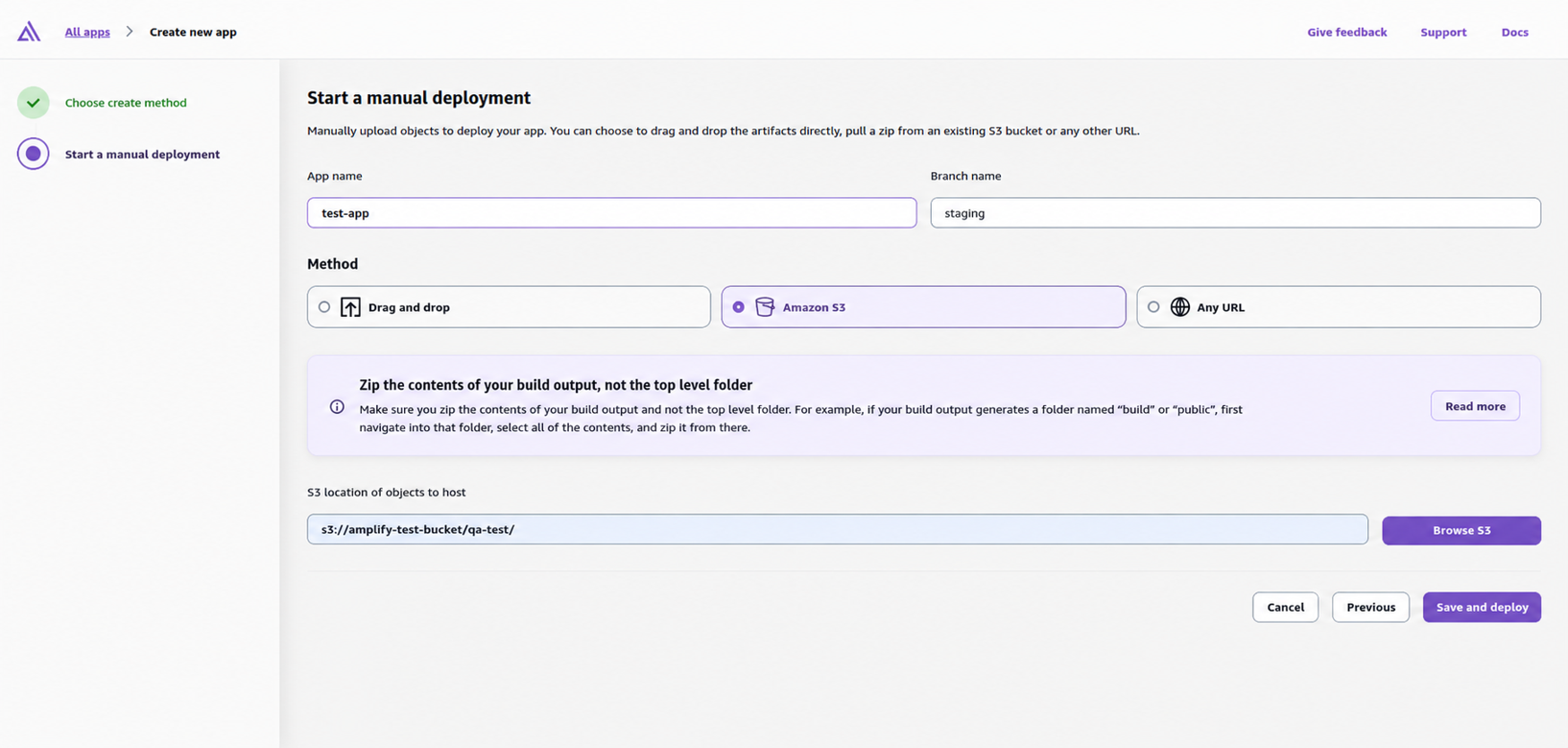
AWS Amplify makes it easy to deploy directly from GitHub, GitLab, BitBucket and AWS CodeCommit. But in our case, we deliberately employed S3-based deployments integrated with Jenkins pipelines.
This approach resulted in improved control of:
- Deployment to multiple environments
- Deployment of multiple accounts
- Deployment Permissions
- Custom CI / CD pipelines
- Managing Environment-Specific Configurations
Jenkins was already being used as the centralized CI/CD platform so adding Amplify deployments to existing pipelines helped keep the consistency across environments.

Architecture Overview
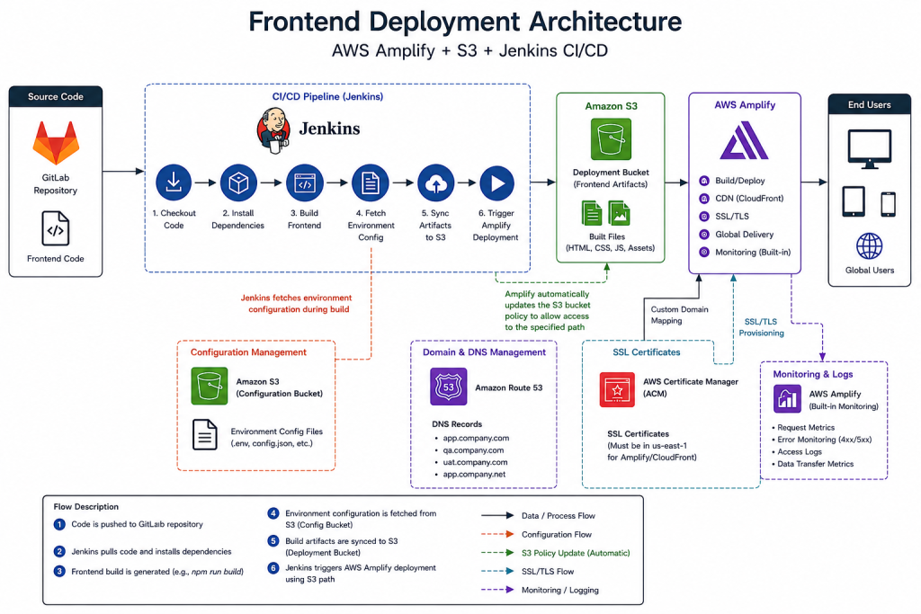
The process for deployment is:
- Git repositories storing source code
- Jenkins Pipelines for CI/CD Automation
- Artefact deployment to S3 buckets
- AWS Amplify for hosting the frontend
- Route53 for DNS management
- ACM for SSL certificates

Step 1: Jenkins for CI/CD Automation
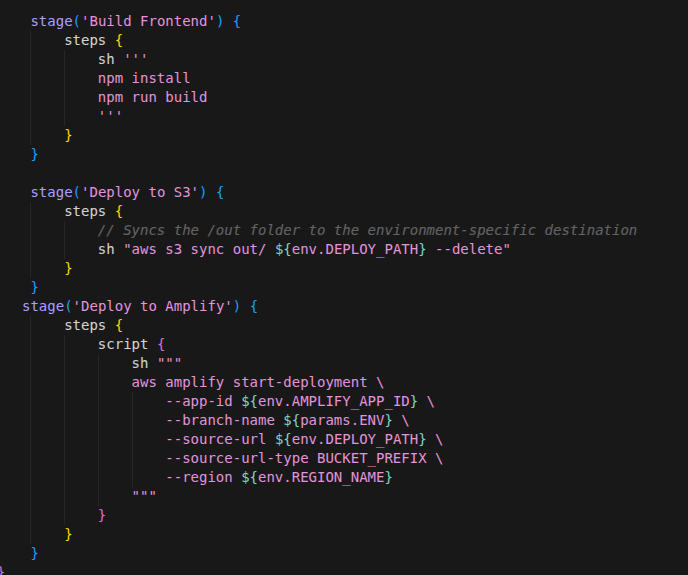
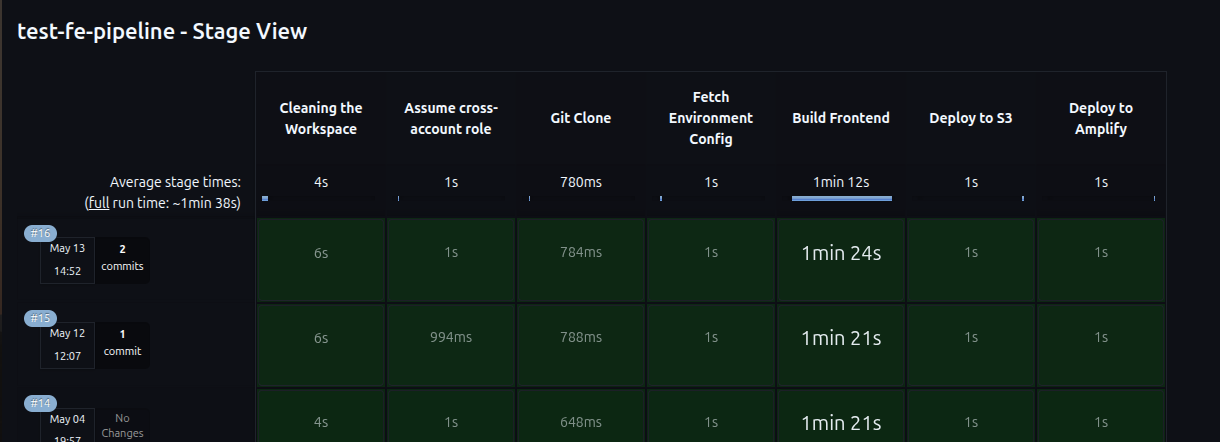
A Jenkins pipeline was configured to standardize deployments across environments.
pipeline processed:
- Git checkout
- getting environment config
- S3 sync for frontend build generation
- Scale deployment trigger

By automating this, we removed:
- Manual deployment
- Deployment actions over SSH
- Manually clearing the cache

Step 2: Amplify Branches for Environment Management
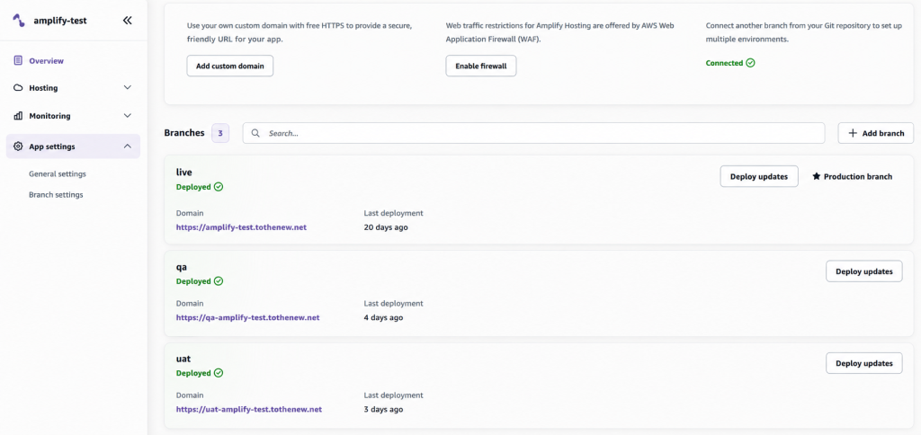
Dedicated Amplify branches were created for each environment to keep deployments isolated and easier to manage.
Some examples are:
QA UAT Production
Each Amplify branch was a separate deployment environment, which made testing, validation, and release management easier.
This was good for:
- Isolation of the environment
- Independent releases of the front-end
- Better deployment tracking
- Optimized testing workflows
Step 3: Serving Frontend Artifacts with S3
One of the biggest limitations we see with S3 deployments is that there is no environment variable management from the Amplify UI.
To work around this, environment configurations were externally managed by using a single S3 configuration bucket.
The configuration files required were pulled by Jenkins dynamically during deployment.
For instance:
aws s3 cp s3://config-bucket/uat/docker/next-app/.env .env
This improved:
- Configuration consistency
- Security
- Isolation of the environment
Amplify deployments were triggered when frontend build artifacts were uploaded to Amazon S3.
One behavior seen during Amplify deployments was that AWS Amplify would automatically change the S3 bucket policy to allow access to the deployment artifact path for the Amplify service.
The Bucket policy allows the Amplify specific branch to list and read objects only from the specific prefix in the bucket. It also enforces secure HTTPS-only access to the bucket.
This reduced the need to manually set up additional S3 access permissions for Amplify deployments.
Using S3 also provided:
- Using S3 also provided:
- Highly durable storage
- Automatic scalability
- Better cost optimization
- High uptime
Step 4: Deploying with AWS Amplify and managing CDN
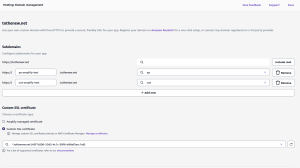
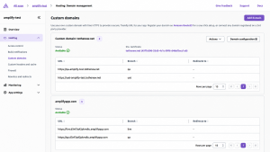
We set up custom domains using Route53 instead of the Amplify generated domains.
The setup was as follows:
.com domain names .net domain names
Subdomains specific to the environment
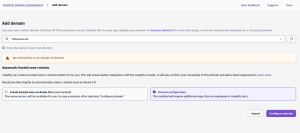
 When setting up custom domains, Amplify will automatically create the DNS entries for domain validation and CDN routing. These needed to be added to Route53.
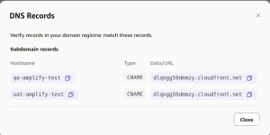
We can use both for integrating SSL:
- Amplify-managed certificates
- Custom ACM certs
Now one thing:
Amplify custom domains (ACM certificates) need to be in us-east-1 because Amplify uses CloudFront distributions internally.
If certs are created in a different region, domain validation may still be in progress.
Security Headers
AWS Amplify also supports custom HTTP headers for additional frontend security and browser protection.
Headers may be set either:
- Directly from the Amplify UI
- Using
customHttp.yml file
Example configuration:
customHeaders:
- pattern: "**"
headers:
- key: Strict-Transport-Security
value: max-age=31536000; includeSubDomains
- key: X-Frame-Options
value: SAMEORIGIN
- key: X-Content-Type-Options
value: nosniff

Monitoring + Logs
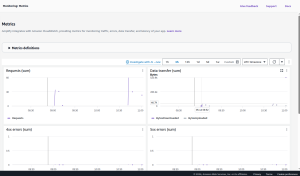
AWS Amplify also gave us out-of-the-box monitoring capabilities that included:
- Requests monitoring
- Data transfer monitoring
- 4xx and 5xx error tracking
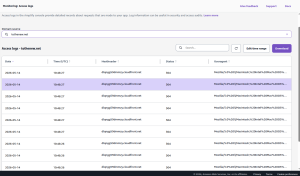
- Domain-wise access logs
These logs were helpful for:
- These logs were useful for:
- Troubleshooting Tips
- Traffic analysis
- Security Verification
- Debugging on the CDN level
Challenges and Limitations
While implementing Amplify hosting and integrating it with a custom domain, we faced several practical issues.
Route53 DNS Propagation Delays
Incorrect DNS entries may continue propagating temporarily even after correction.
To avoid unnecessary issues:
- DNS records should be validated carefully
- Multiple rapid retries should be avoided
- Domain configurations should be performed gradually
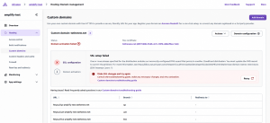

ACM Certificate Region Restriction
A common issue occurred when ACM certificates were created outside us-east-1.
Because Amplify internally uses CloudFront:
- Certificates must exist in
us-east-1 - Otherwise SSL validation may remain pending
Limitations of S3-Based Deployments
With deployment workflows built around S3:
- Amplify UI does not support native environment variable management
- Configuration management must be done externally
This required centralized CI/CD-driven configuration management using Jenkins and S3.
Alternative Approaches
| Approach | Advantages | Challenges |
|---|---|---|
| EC2 + NGINX | Full server control | High maintenance |
| Direct S3 Static Hosting | Cost effective | Manual CDN setup |
| ECS/Kubernetes Hosting | Useful for SSR workloads | Higher infrastructure complexity |
| AWS Amplify | Managed frontend hosting | Limited native env management for S3 deployments |
Conclusion
AWS Amplify together with S3 and Jenkins delivered a scalable, lightweight and operationally efficient architecture for frontend deployment.
This is better than traditional server-based hosting because:
- Eliminated infrastructure management overhead
- Simple to implement
- More scalable
- Reduced Operating Expenses
- Greater reliability of deployment
For organizations that already have centralized CI/CD pipelines in place, the S3-based Amplify deployment model offers a flexible and production-ready solution for managing modern frontend applications across multiple environments and domains.