


Introduction
With the growing adoption of containers and Kubernetes, securing containerized workloads has become a critical responsibility for DevOps and platform teams. Organizations running workloads on Kubernetes must ensure that their infrastructure, container images, runtime configurations, and resource governance follow security best practices.
In this blog, we walk through the end-to-end container hardening approach implemented on Amazon Elastic Kubernetes Service (EKS) aligned with Center for Internet Security (CIS) benchmarks. The implementation focuses on securing the host OS, container images, Dockerfiles, runtime policies, logging, and Kubernetes workloads while ensuring operational efficiency.
1. Infrastructure-Level Hardening
1.1 Container Host Hardened
The worker nodes run on Amazon Linux 2023 EKS-optimized AMI, which is maintained and patched by AWS to provide a secure and stable container host environment.
Platform Used
AWS EKS Optimized Amazon Linux 2023 (AL2023) AMI
Managed by AWS
Verification Commands
kubectl get nodes -o wide
cat /etc/os-release
Expected Output:
NAME="Amazon Linux"
VERSION="2023"
This confirms that the nodes are running the hardened and supported operating system.
2. Centralized & Remote Logging
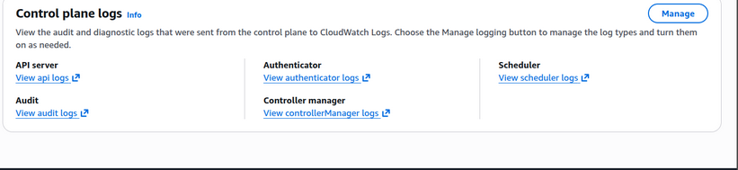
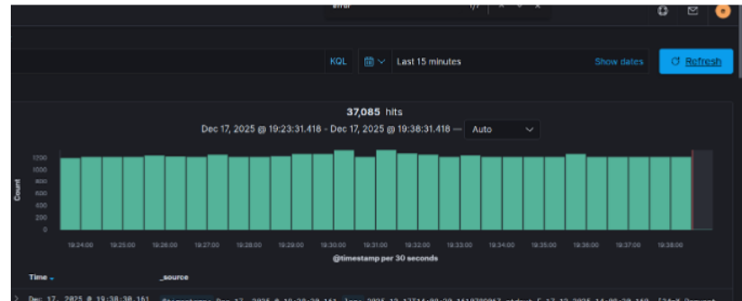
Centralized logging ensures that both application logs and control plane logs are stored remotely for monitoring, auditing, and incident investigation.
2.1 Centralized Logging
Application logs → Kibana/Cloudwatch
Control plane logs → Amazon CloudWatch
Enable Control Plane Logs
aws eks update-cluster-config \
--name <cluster-name> \
--logging '{"clusterLogging":[{"types":["api","audit","authenticator","controllerManager","scheduler"],"enabled":true}]}'
Verification
aws eks describe-cluster --name <cluster-name> --query cluster.logging
EKS → Logging Enabled Page
CloudWatch Log Group
Kibana Dashboard showing App Logs
This ensures that API, audit, and scheduler logs are centrally collected and retained.
.
3. Dockerfile Hardening Controls
3.1 No Standalone Update Commands
Secure Dockerfile Example
FROM maven:3.9-eclipse-temurin-17
RUN apk add --no-cache curl
✔ No apk update used separately
✔ Prevents stale package layer
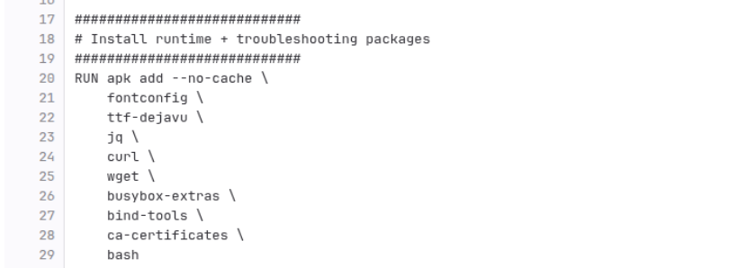
Dockerfile snippet
3.2 Remove setuid/setgid
RUN find / -perm /6000 -type f -exec chmod a-s {} \; || true
Verification
find / -perm /6000 -type f
Expected: No output
Terminal showing no output

3.3 COPY Instead of ADD
COPY target/app.jar /app/app.jar
✔ Avoids unintended archive extraction
✔ No remote URL downloads
3.4 Secrets Not Stored in Dockerfile
Secrets fetched from:
AWS Systems Manager Parameter Store
Example Kubernetes Config
env:
- name: DB_PASSWORD
  valueFrom:
    secretKeyRef:
      name: app-secret
      key: db_password
OR via Parameter Store integration.
No secrets in Dockerfile
4. Image Security & Supply Chain
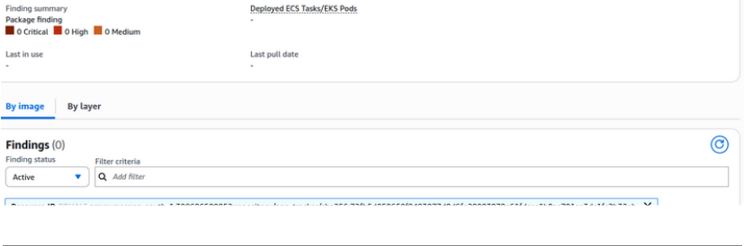
4.1 Image Scanned & Zero Vulnerabilities
Images stored in:
Amazon ECR
Enable Image Scanning
aws ecr put-image-scanning-configuration \
--repository-name <repo-name> \
--image-scanning-configuration scanOnPush=true
Check Scan Results
aws ecr describe-image-scan-findings \
--repository-name <repo-name> \
--image-id imageTag=<tag>
ECR → Image Scan Results → 0 Vulnerabilities
4.2 Controlled Artifact Pipeline
Built & pushed using:
docker.build("repo/app:${BUILD_NUMBER}")
docker.withRegistry('https://<account>.dkr.ecr.region.amazonaws.com', 'ecr-creds') {
docker.image("repo/app:${BUILD_NUMBER}").push()
}
Jenkins Build Success
Image pushed to ECR
5. Runtime Security Controls (Kubernetes)
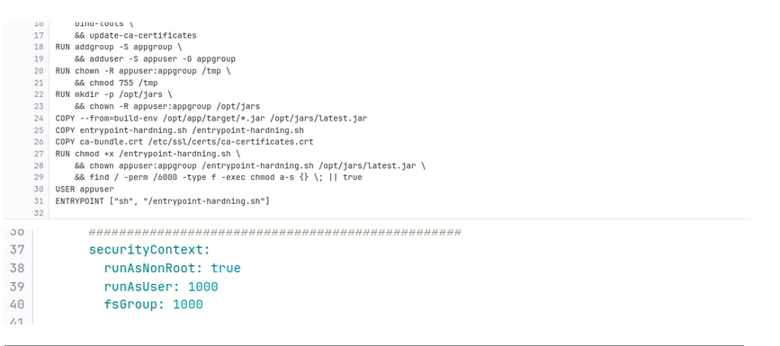
5.1 Non-Root User Enforcement
Dockerfile

RUN addgroup -S appgroup && adduser -S appuser -G appgroup

USER appuser

Kubernetes SecurityContext
securityContext:
runAsNonRoot: true
runAsUser: 1000

Verification
kubectl exec -it <pod> -- id

Expected:

uid=1000(appuser)
.
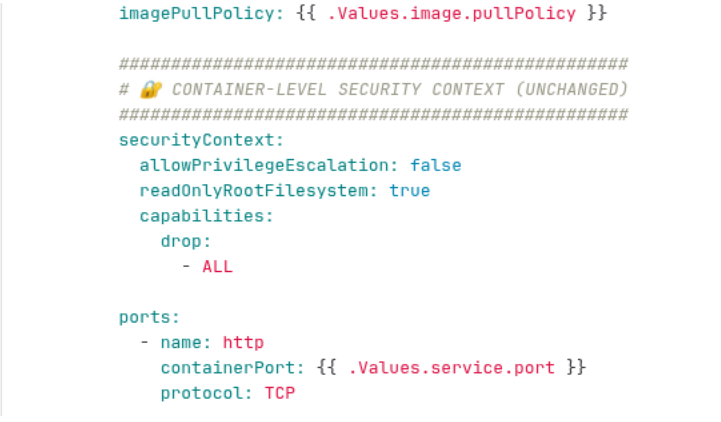
5.2 No Privileged Containers
securityContext:
privileged: false
allowPrivilegeEscalation: false
Verify
kubectl get pod <pod> -o yaml | grep privileged
Expected:
privileged: false
Pod YAML output
.
5.3 Linux Capabilities Dropped
securityContext:
capabilities:
drop:
- ALL
Verification:
kubectl get pod <pod> -o yaml | grep capabilities -A5
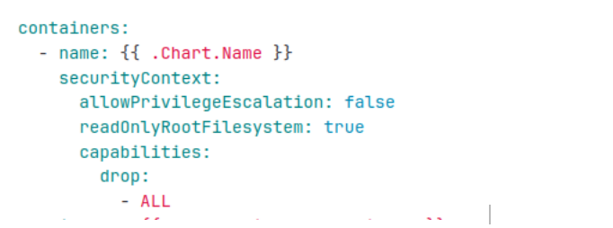
5.4 Root Filesystem Read-Only
securityContext:
readOnlyRootFilesystem: true
Verification:
kubectl exec -it <pod> -- touch /testfile
Expected:
Read-only file system
Error output
.
5.5 Restrict Privilege Escalation
securityContext:
allowPrivilegeEscalation: false
Verification:
kubectl get pod <pod> -o yaml | grep allowPrivilegeEscalation
6. Resource Governance
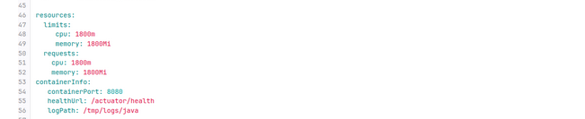
6.1 Memory Limits
resources:
   requests:
      memory: "256Mi"
   limits:
      memory: "512Mi"
6.2 CPU Limits
resources:
   requests:
      cpu: "250m"
   limits:
      cpu: "500m"
Verification:
kubectl describe pod <pod>
6.3 Restart Policy
kubectl describe pod <pod> | grep Restart
Expected:
Restart Policy: Always
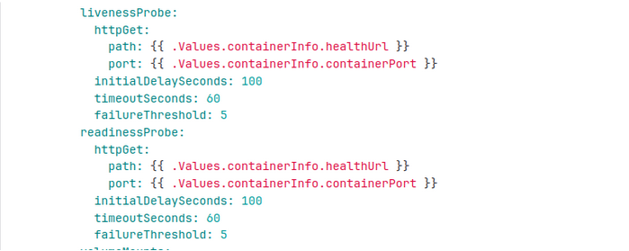
6.4 Liveness & Readiness Probes
Verification:
kubectl describe pod <pod>
7. Sprawl Prevention
7.1 Container Sprawl Avoided
Check container runtime:
ctr -n k8s.io containers list
Ensure:
No STOPPED containers
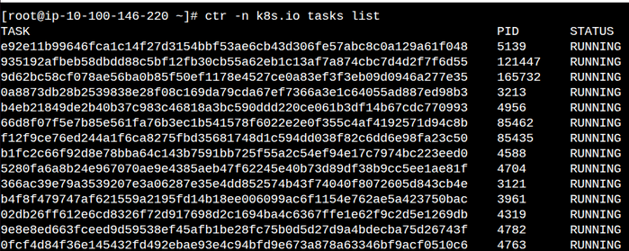
No orphaned tasks
ctr -n k8s.io tasks list
Only RUNNING tasks
No DEAD containers
.
7.2 Image Sprawl Avoided
ctr -n k8s.io images list
Verify:
Only workload images present
No uncontrolled image accumulation
8. Latest Images Used (Immutable Tags)
Deployment YAML
image: repo/app:1.0.145
imagePullPolicy: IfNotPresent
✔ Unique tag per build
✔ Helm updates tag every deployment
Verify:
kubectl describe pod <pod> | grep Image:
Pod showing latest tag
9. Network Exposure Restricted
9.1 Only Required Ports Exposed
Container:
   ports:
    - containerPort: 8080
Service:
   ports:
   - port: 80
    targetPort: 8080
Verification:
kubectl get svc
Conclusion
Container security requires a layered defense approach that spans infrastructure, images, pipelines, and runtime controls. By implementing these CIS-aligned hardening measures on Amazon EKS, organizations can significantly reduce the attack surface while maintaining scalability and operational efficiency.
This end-to-end approach ensures that containers are secure by design, continuously monitored, and governed through Kubernetes-native controls, providing a strong foundation for running production workloads securely in the cloud.