Securing CI/CD Pipelines: Jenkins + Trivy for Container Image Scanning
Introduction
In today’s DevSecOps pipelines, security can no longer be an afterthought and given short shrift; it must be baked in upfront. Container images, on which today’s apps are built, include frequently the operating system packages, the third-party libraries, and the app requirements that may come pre-packaged with known vulnerabilities if not properly controlled. These risks can spread unchecked to production infrastructure and endanger critical systems.
To accomplish that, the company needs a reliable means of automatically scanning container images inside their CI/CD pipelines. Trivy is one of the most effective tools on the market to accomplish that, which just so happens to be an open-source security and vuln scanner managed by Aqua Security.
Here, we will demonstrate how to integrate Trivy into a Jenkins pipeline via the official Trivy Docker image. The process does not include installing anything else on Jenkins agents – merely Docker – which makes the solution transportable, scaleable, and simple to maintain on different environments.
Why Trivy?
Trivy is widely adopted because it’s:
- Agent-independent: May be executed inside a Docker container, which removes the local installation requirements
- Comprehensive: Not only vulns, but config issues, secrets, and licenses.
- Fast & Efficient: Takes advantage of cached vulnerability databases to accelerate scans.
- Flexible: Allows many output formats (table, json, sarif) to devs and integrators.
- Developer-friendly: Easily plugs into CI/CD tools such as Jenkins, GitHub Actions, or GitLab CI.
What Trivy Checks in Container Images
Scanning images of containers, Trivy has two targets:
1.Containers within container images
Container images are nothing more than layered files. Installing a package adds new files into the image. Trivy scans the files to check for:
- Vulnerabilities → OS package and app dependency CVEs.
- Misconfigurations → System or application settings security risk.
- Secrets → Hardcoded passwords, tokens, or keys embedded within the files.
- Licenses → Identifies licenses of the dependencies to facilitate checking for compliance.
This ensures that the content of the image itself is secure and policy-compliant.
In addition to files, container images also have metadata like configuration, layers, and history. Trivy scans the following metadata to reveal:
- Insecure configurations (e.g., running as root). Risk or unnecessary packages.
- Risky or unnecessary packages.
- Weaknesses in the way the image was built.
- By combining these two approaches, Trivy provides end-to-end visibility into container image risks.
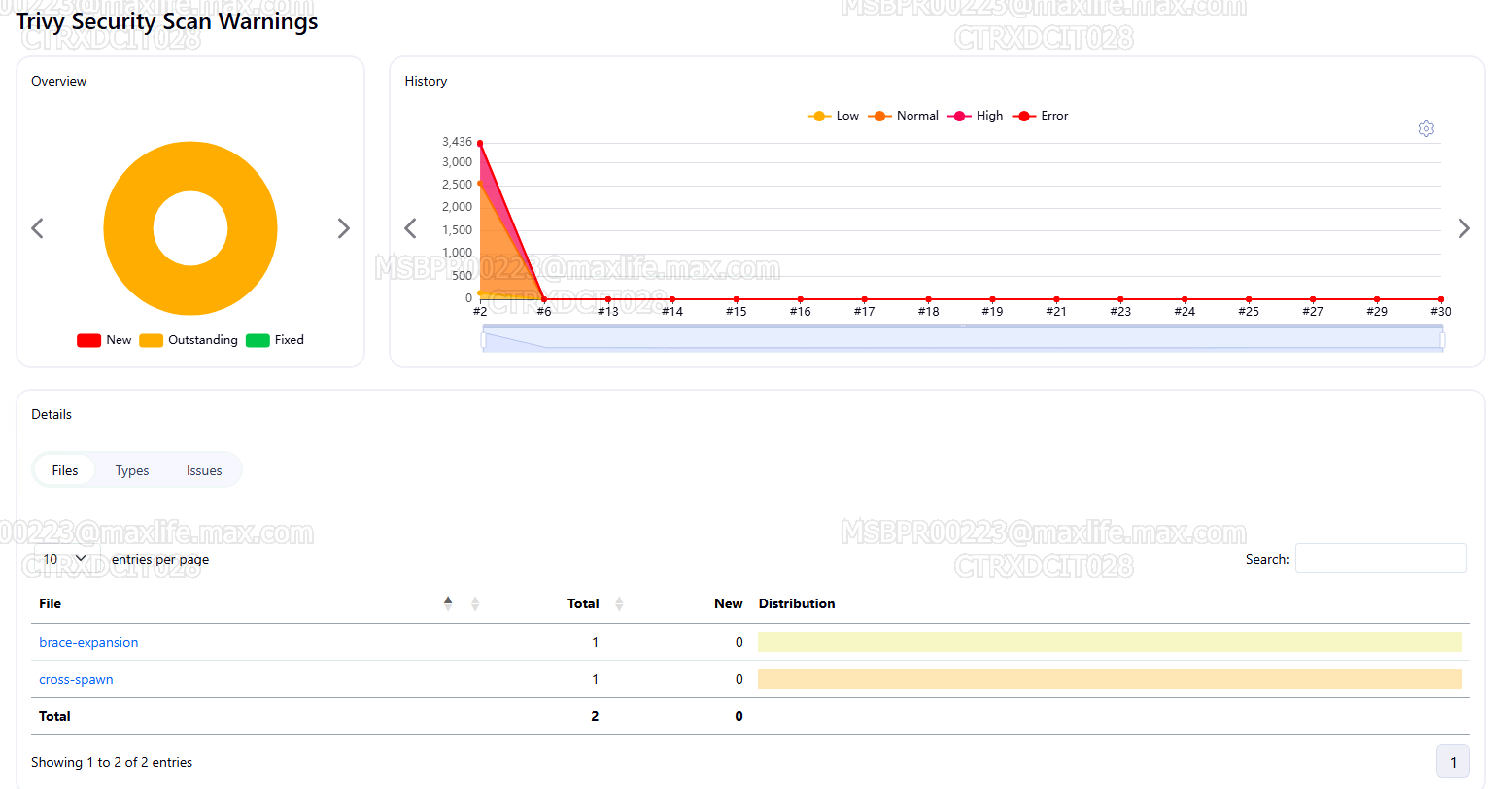
Trivy Dashboard
Jenkins Pipeline Integration
stage('Scan Docker Image') {
   steps {
      script {
         def image = "${DOCKER_REGISTRY}/${DOCKER_REPO}:${IMAGE_VERSION}"
         sh """
         # Pre-download Trivy DB for faster scans
         docker run --rm --network=host -v /data/jenkins/trivy:/root/.cache/trivy aquasec/trivy image --download-db-only alpine:latest

         # Run scan and save table format report
         docker run --rm -v /var/run/docker.sock:/var/run/docker.sock -v /data/jenkins/trivy:/root/.cache/trivy -v \${WORKSPACE}:\${WORKSPACE} aquasec/trivy image --timeout 90m --scanners vuln \
         --format table --output \${DOCKER_REPO}_\${IMAGE_VERSION}_trivy-report.txt ${image}

         # Run scan and save JSON report for Jenkins parsing
         docker run --rm -v /var/run/docker.sock:/var/run/docker.sock -v /data/jenkins/trivy:/root/.cache/trivy -v \${WORKSPACE}:\${WORKSPACE} aquasec/trivy image --timeout 90m --scanners vuln \
         --format json --output trivy-report.json ${image}
         """
         }

         recordIssues(
         enabledForFailure: true,
         aggregatingResults: false,
         qualityGates: [
         [threshold: 1, type: 'TOTAL_HIGH', unstable: true],
         [threshold: 1, type: 'TOTAL_ERROR', unstable: true],
         [threshold: 5, type: 'TOTAL_NORMAL', unstable: true],
         [threshold: 1, type: 'NEW_HIGH', unstable: true],
         [threshold: 20, type: 'TOTAL', unstable: true]
         ],
        tools: [scanTool(pattern: 'trivy-report.json')],
        id: 'TrivySecurityScan',
        name: 'Trivy Security Scan',
        icon: 'symbol-status-yellow',
        referenceJobName: 'LAST_BUILD',
        healthy: 10,
        unhealthy: 20,
        minimumSeverity: 'NORMAL'
        )
    }
}
Pull vs. Build → Scan → Push
You can include Trivy into two typical usage scenarios according to the usage case:
- Pull and Scan:
- Apply this when reviewing third-party or base images prior to utilizing them.
- Build → Scan → Push:
- Popular in CI/CD pipelines. Assemble your app image, test it against vulnerabilities, and submit it to the registry only if it passes the test.
- This ensures that insecure images cannot make it to production.
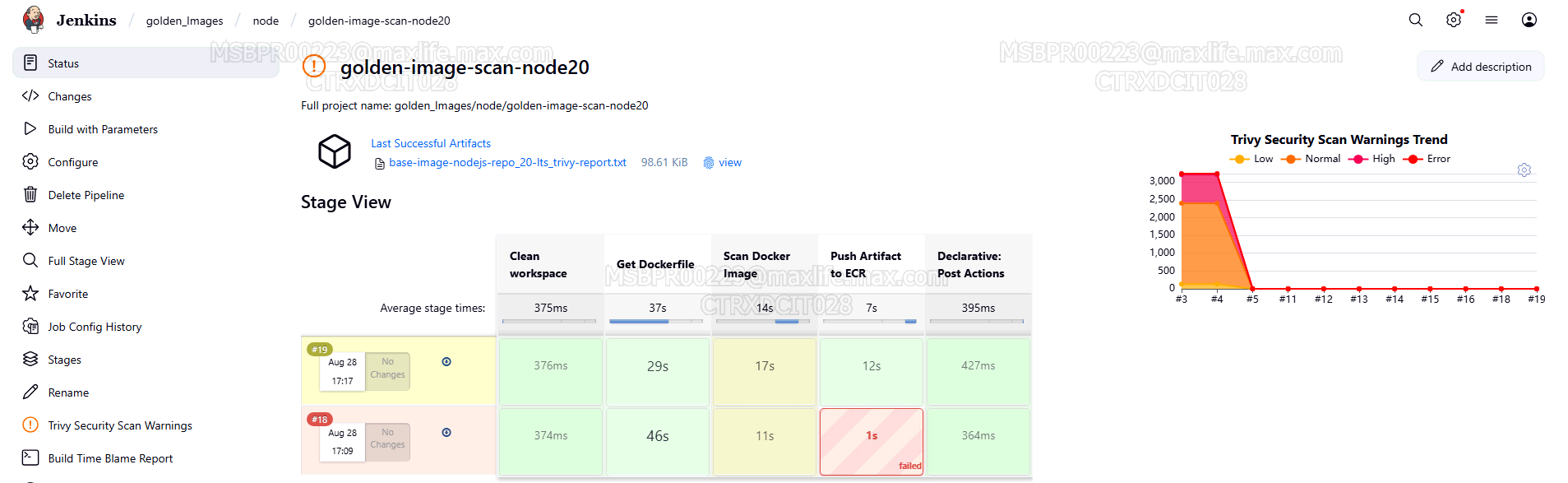
BUILD,SCAN,PUSH
Advantage of This Method
- Agentless deployment: Needs Docker on Jenkins agents only.
- Lightweight: You can run the same pipe anywhere—either on-prem or on the cloud.
- Shift-left security: Identify vulnerabilities early in the pipeline.
- Policy enforcement: Block or build fails if vulns have greater than permissible severity.
How It Works
- Database Pre-Pull
- The Trivy vuln DB is pre-fetched and cached ahead of time at /data/jenkins/trivy so that subsequent scans will be fast.
- Dual Output Reports
- Table report (.txt): Developer-friendly human-readable format.
- JSON report file format (.json): Programmatically readable Jenkins plugin and dashboard format.
- Dockerized Tr
- Utilizes docker run aquasec/trivy with volumes mounting on Docker socket, cache, and workspace.
- No agent startup needed—just Docker.
- Quality Gates with recordIssuesJenkins’
Warnings NG plugin checks the JSON output and runs gates:- Fail if HIGH/CRITICAL Vulnerabilities remain.
- Mark unstable if the thresholds are crossed.
- Provide Jenkins UI visibility of Trivy Security Scan.
Conclusion
By incorporating Trivy into Jenkins pipelines via Docker, companies can have all of their container images checked automatically within the CI/CD process. Because Trivy scans the contents of the file interiors along with the images’ metadata, it has full security coverage.
This configuration allows vulnerable images to be identified early, reports to be seen and auditable, and pipelines to enforce fail-fast policy to avoid insecure deployments.
DevSec is security that is automated and transparent – and that is exactly what that Jenkins + Trivy pairing offers.