Kubernetes Deployment using Istio Service Mesh
Introduction
Modern applications need zero-downtime deployments and safe rollouts. Blue-Green Deployment is a classic strategy where two environments (Blue = current version, Green = new version) exist side by side, and traffic is gradually shifted. When paired with Istio Service Mesh, you get powerful traffic management features like routing traffic by percentage making Blue-Green safer and more flexible.
In this post, we’ll walk through how to set up a Blue-Green deployment on Kubernetes using Istio VirtualService to route traffic between versions.
Problem Statement
In modern microservices-based applications, deploying a new version of a service without impacting users is a major challenge. Traditional Kubernetes deployments often rely on rolling updates, which still carry risks such as partial outages, unexpected bugs in production, and limited control over traffic distribution. Additionally, without advanced traffic management, it becomes difficult to safely test new versions with a subset of users, instantly roll back faulty releases, or enforce secure service-to-service communication. As application scale and complexity grow, organizations need a more reliable, secure, and controlled deployment strategy that ensures zero downtime, fine-grained traffic routing, and instant rollback capability.
Why Blue-Green with Istio?
Traditional Blue-Green requires a hard cutover (switch all traffic at once). This can be risky if the new version has hidden issues. Istio enables progressive traffic shifting:
Start with 10% of users on Green.
Monitor metrics (latency, error rate).
Gradually increase until Green takes 100%.
Roll back instantly if problems appear.
This approach reduces deployment risk and improves reliability.
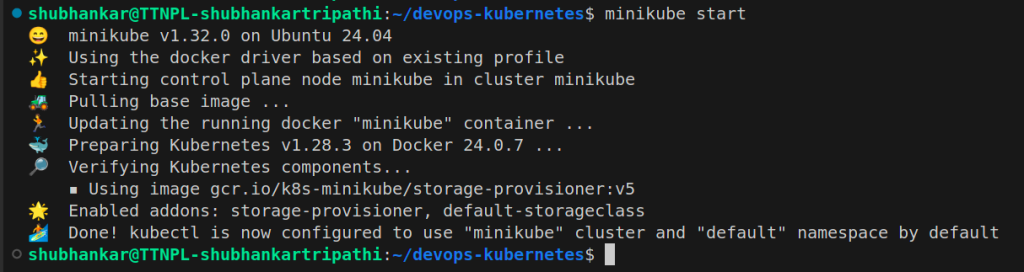
Minikube
What is Istio
Istio is an open-source implementation of the service mesh originally developed by IBM, Google, and Lyft. It can layer transparently onto a distributed application and provide all the benefits of a service mesh like traffic management, security, and observability.
It’s designed to work with a variety of deployments, like on-premise, cloud-hosted, in Kubernetes containers, and in servicers running on virtual machines. Although Istio is platform-neutral, it’s quite often used together with microservices deployed on the Kubernetes platform.
Fundamentally, Istio works by deploying an extended version of Envoy as proxies to every microservice as a sidecar.
Understanding Istio Components
1. Data Plane
The data plane of Istio is primarily built on an enhanced version of the Envoy proxy. Envoy is an open-source edge and service proxy that abstracts networking responsibilities away from application code. With Envoy in place, applications communicate only with localhost, remaining completely unaware of the underlying network topology.
At its core, Envoy operates as a high-performance network proxy at Layer 3 and Layer 4 of the OSI model, using a chain of pluggable network filters to manage connections. In addition, Envoy provides Layer 7 (application-layer) filtering for HTTP-based traffic and offers first-class support for modern protocols such as HTTP/2 and gRPC.
Most of Istio’s service mesh capabilities are directly powered by Envoy’s built-in features:
- Traffic Control: Envoy enables fine-grained traffic management through advanced routing rules for HTTP, gRPC, WebSocket, and TCP traffic.
- Network Resiliency: It provides native support for automatic retries, circuit breaking, timeouts, and fault injection.
- Security: Envoy enforces security policies, implements access control, and supports rate limiting for secure service-to-service communication.
Another key strength of Envoy is its extensibility. It offers a flexible extension model based on WebAssembly (Wasm), which enables custom policy enforcement and advanced telemetry generation. Additionally, Istio further extends Envoy using Istio-specific extensions built on the Proxy-Wasm sandbox API, making it highly adaptable for advanced use cases.
2. Control Plane
As discussed earlier, the control plane in Istio is responsible for managing and configuring the Envoy proxies that form the data plane. This responsibility is handled by istiod, which translates high-level traffic management and routing rules into Envoy-specific configurations and dynamically distributes them to the sidecar proxies at runtime.
In earlier versions of Istio, the control plane architecture consisted of multiple independent components working together. These included Pilot for service discovery and traffic management, Galley for configuration validation, Citadel for certificate generation, and Mixer for policy enforcement and telemetry. Over time, to reduce operational complexity and improve maintainability, these separate components were consolidated into a single unified component known as istiod.
Despite this unification, istiod continues to use the same core code and APIs that powered the original components. For example, the functionality previously handled by Pilot still abstracts platform-specific service discovery mechanisms and converts them into a standardized format that Envoy sidecars can consume. This enables Istio to support multiple environments, such as Kubernetes and virtual machines.
In addition to traffic management, istiod also provides strong security capabilities. It enables secure service-to-service and end-user authentication through built-in identity and credential management. Istiod can enforce security policies based on service identity and also functions as a Certificate Authority (CA). By issuing and managing certificates, it enables mutual TLS (mTLS) communication across the data plane, ensuring encrypted and authenticated traffic between services.
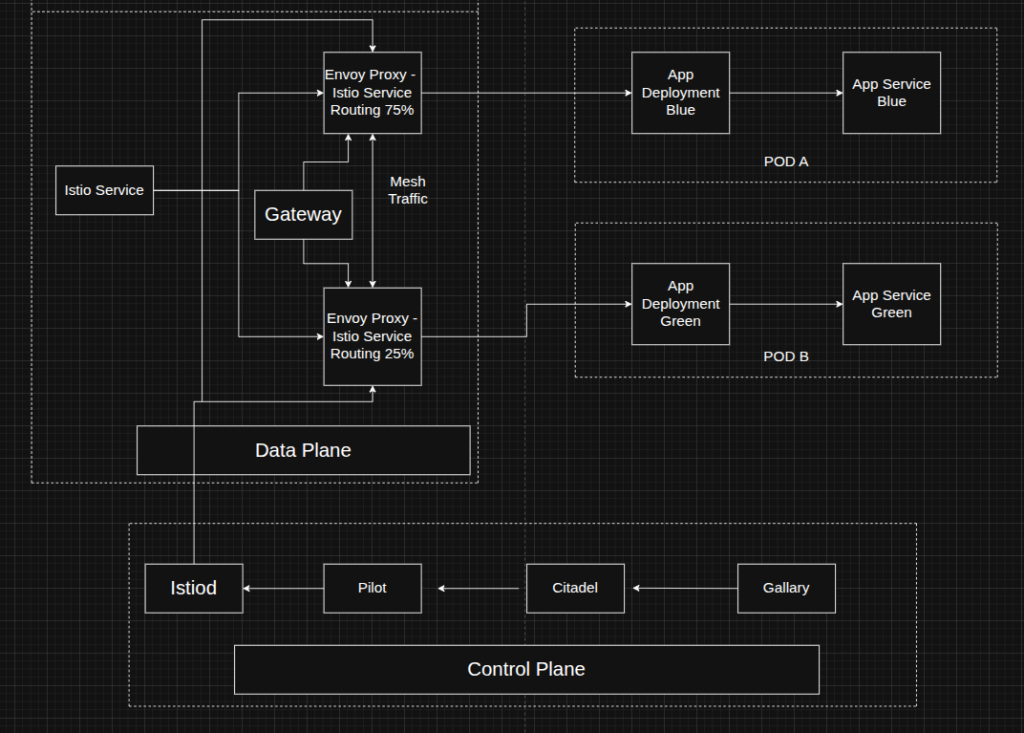
Architecture – Istio Components
Setup and Step By Step Process
- Installing Minikube and istioctl
$ sudo snap install minikube –classic
$ curl -L https://istio.io/downloadIstio | sh –
$ cd istio-*
$ sudo mv bin/istioctl /usr/local/bin/Then Next step >
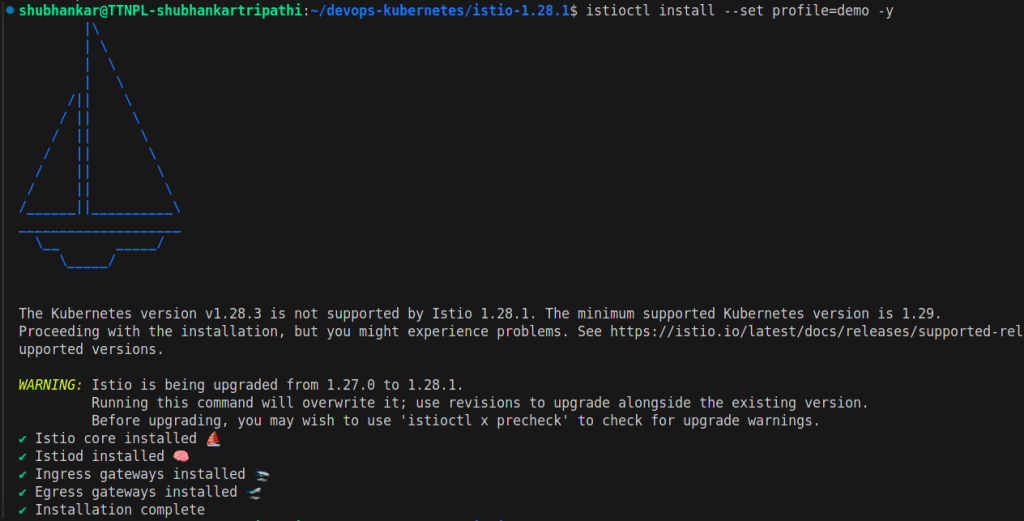
istioctl
Label your Namespace >

Namespace
2. File Structure and Docker Build
$ docker build -t blue-app app/blue
$ docker build -t green-app app/green
$ kubectl apply -f k8s/
$ kubectl apply -f istios/
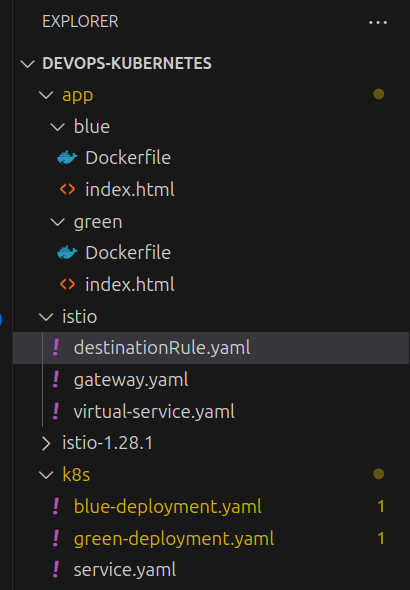
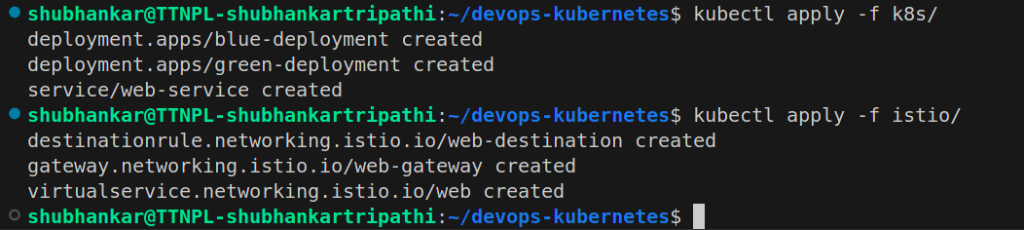
File Structure and Kubectl apply
3. Access The Application
$ minikube tunnel
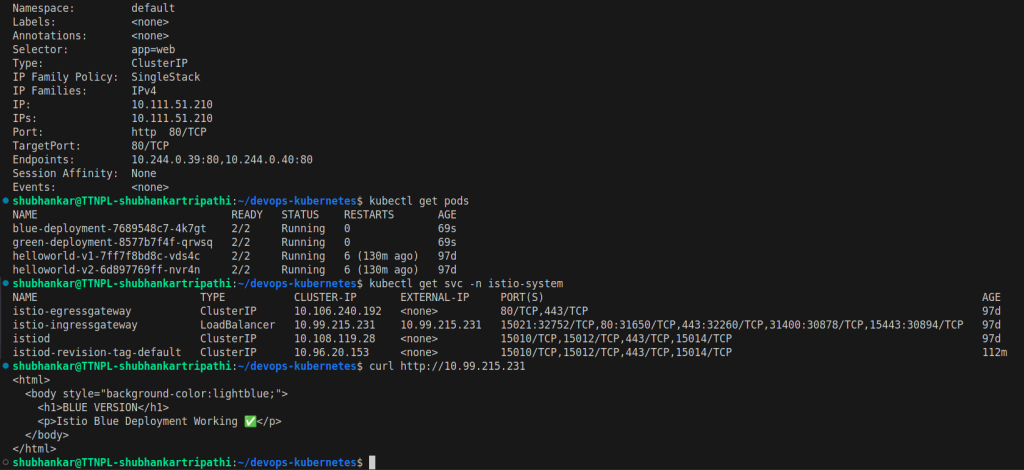
$ kubectl get svc -n istio-system
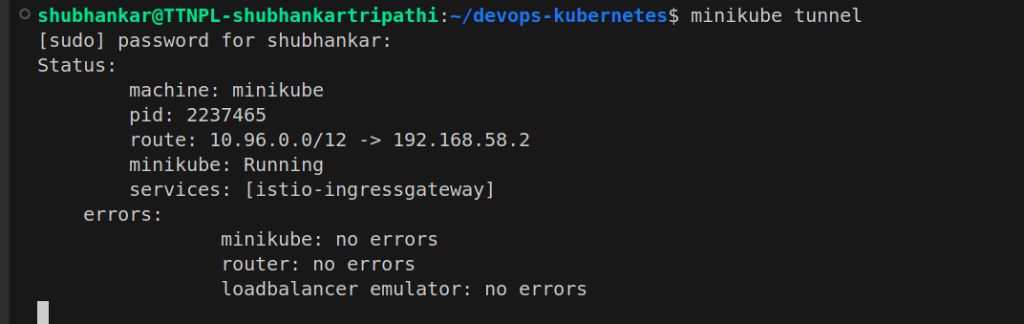
minikube tunnel
kubectl services
Get the external IP from the Load Balancer service.
10.99.215.231 (this is just a sample and does not contain any securty feature – we can use aws secuirty to mask endpoint or IPs of loadbalancer and other services)4. Blue-Green Version Rollout
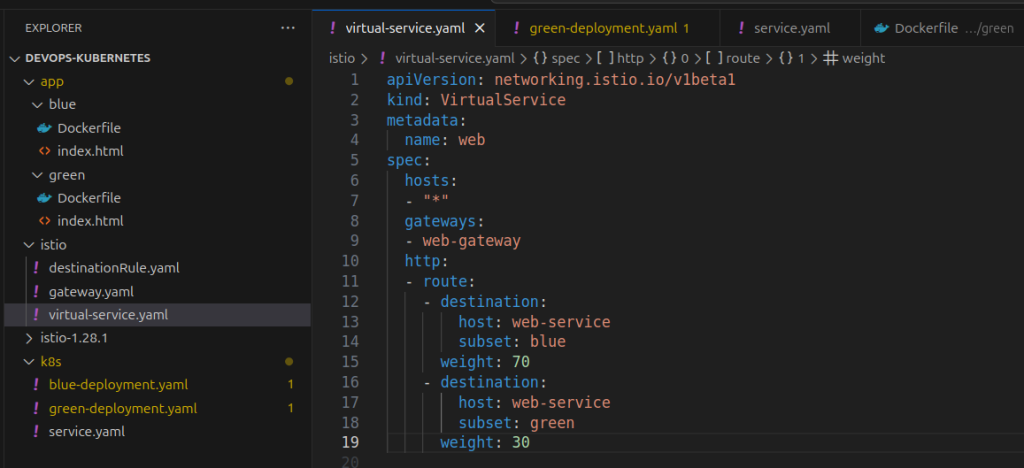
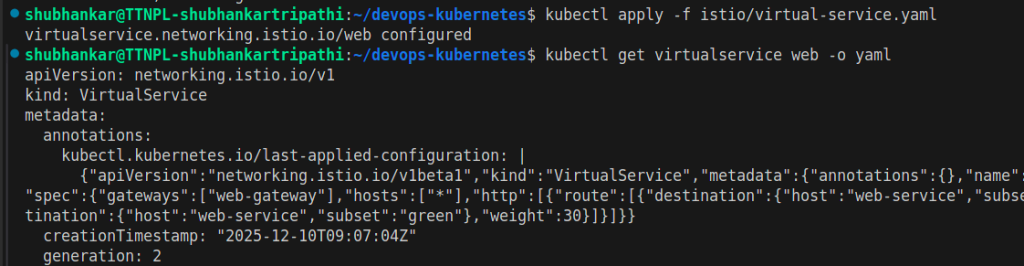
We are making initially 70% traffic route for Blue version and 30% Green Version.
Change the http section in virtual-service.yamlvirtual-service file
virtual-service apply
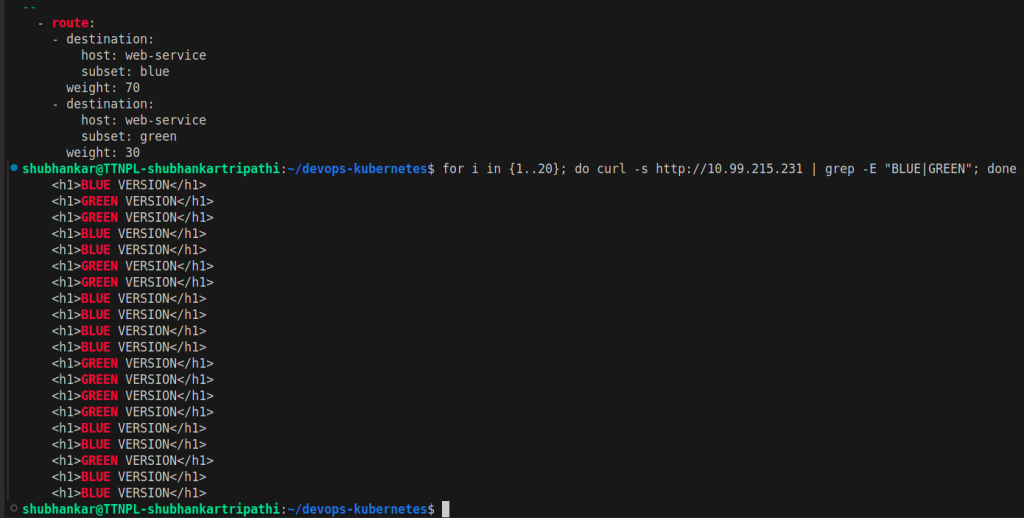
Now we can verify that 3 traffic routes out of 10 are going to Green service.
Traffic Routing
Traffic routing will be closer to 30 % for Green and 70% for Blue Service. (But it is not exact number.)
Traffic Validation

Conclusion
To address these challenges discussed in problem statement, this blog demonstrated how Blue-Green deployment combined with Istio Service Mesh provides a powerful, production-grade solution for zero-downtime application releases. By leveraging Istio VirtualService and DestinationRule, we achieved precise traffic routing with a 70/30 split between Blue and Green versions, enabling safe progressive delivery and quick rollback in case of failure. Istio further enhances the deployment with built-in security (mTLS), traffic observability, and resiliency features, making deployments not only safer but also more intelligent. This approach mirrors how large-scale platforms like Netflix roll out changes with minimal risk, proving that service mesh–based deployment strategies are essential for building reliable, scalable, and cloud-native applications.
Please let me know in the comments if you were already aware about it? Do you want the advance details in next Blog?