Activity Component: Conditional Rendering in React 19.
Introduction
Traditionally, we used ternary operators or CSS style attributes (display and visibility) to implement conditional rendering in a React component, but the issue with this approach was that either it caused internal state loss or was not performance-friendly. With React 19, a new component called Activity has been introduced which can implement conditional rendering while preserving and pausing the internal state of the component. Previously it was used to handle by either of the two approaches –
- Ternary operators (?, && )

Ternary operators to conditionally render components
With ternary operators, the approach was clean and simple for dual component logic, but became messy if multiple components had to be switched. Also, the major drawback had been internal State Loss
2. CSS property
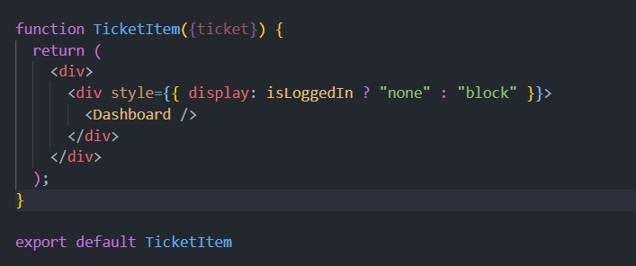
Conditionally rendering via CSS style properties
With CSS properties like display or visibility, it preserves state, but since the component is never truly paused, it might prove expensive to implement it for large component switching.
Activity Component Implementation and states
The Activity component solves both of these issues and provides a middle ground for implementing a performance-friendly conditional rendering approach. Using the Activity component is pretty simple; we just need to import it, and it uses a prop called “mode” which controls the visibility of the child content. It has two valid values — visible and hidden.
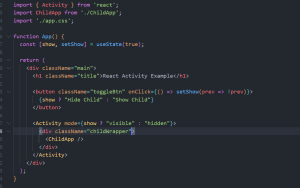
Parent component with Activity Wrapper
Visible value –
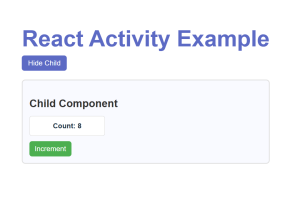
Showing child with prop value – visible
- is shown on the screen
- keeps its state
- effects (useEffect) run as normal
- DOM is present
Hidden value –
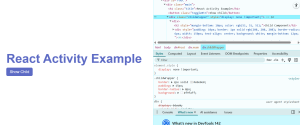
Hiding Child component with prop passed as hidden in Activity wrapper
- becomes invisible (display: none)
- state is preserved (does NOT reset!)
- effects are paused — React runs cleanup
- on becoming visible again, effects re-run with the old state
- DOM is temporarily removed from layout (not destroyed)
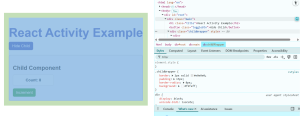
Restoring Child component with prop visible. The count state is still preserved
Even when the child component is hidden and brought back, we can see that the internal state of the component is persisted.
When to use what –
| Feature | Ternary | CSS | Activity |
| Unmounts | Yes | No | No |
| State Preserved | No | Yes | Yes |
| Effects Paused | No | No | Yes |
| Performance Friendly | Yes | No | Yes |
Conclusion
Activity Component is a great way to implement features like multiple tabs, side panels, wizards, and much more with reduced lines of code that we can usually implement with traditional conditional rendering, and it improves performance since React effects are paused. Although it doesn’t completely replace traditional conditional rendering, as certain scenarios require effects to rerun or transitions to be handled, it is a strong addition in React 19 for cases where preserving internal state with minimal code is essential.