Securing AWS ALB Behind CloudFront: Using WAF and Security Groups
Introduction
A pretty common AWS setup is CloudFront in front of an Application Load Balancer (ALB). CloudFront improves performance and gives you some security features “for free.” But if you leave the ALB wide open, anyone can bypass CloudFront and hit it directly – not ideal.
This documentation outlines two effective methods for restricting direct traffic to an Application Load Balancer (ALB) and ensuring that all traffic is routed through Amazon CloudFront.
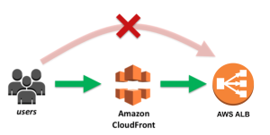
.
There are two practical ways to stop that:
- Use AWS WAF with a secret header.
- Lock down the ALB’s Security Group to CloudFront IPs.
Best practice: don’t pick one or the other. Use both.
Method 1: Restricting Direct Traffic Using AWS WAF
Architecture Overview
WAF acts like a filter for HTTP/S traffic. The trick here is to add a hidden header in CloudFront. WAF checks for it, and if it’s missing, the request gets dropped before it touches your ALB.
Architecture Diagram
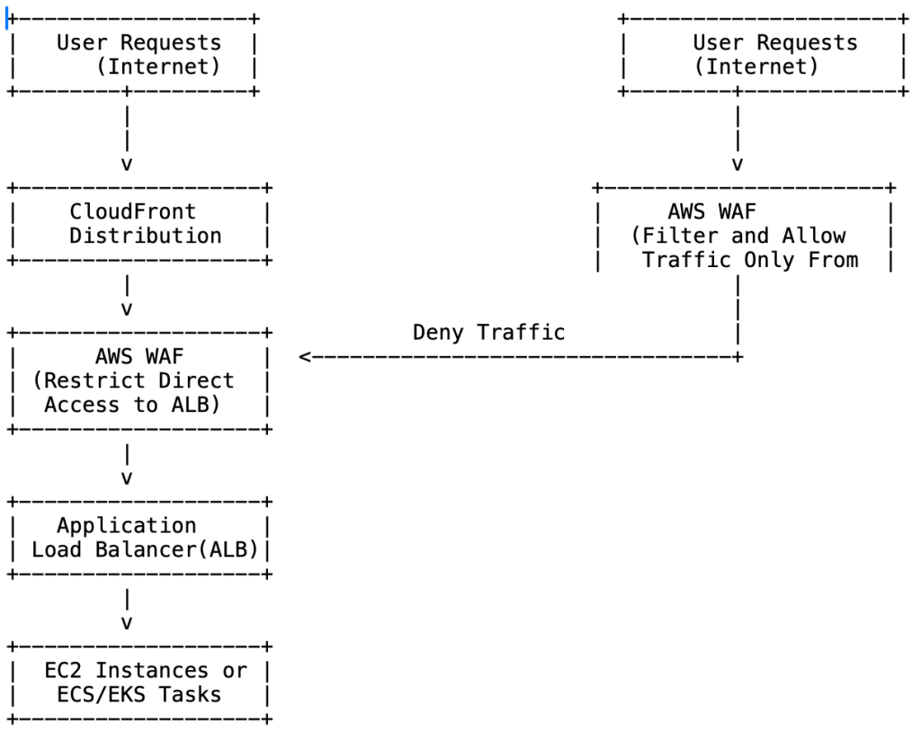
Implementation Steps
- Add a custom header in CloudFront
- Go to the CloudFront console → find your distribution.
- Edit the ALB origin.
- Add a header with a secret key/value.
- Save it somewhere safe; you’ll need it for WAF.
2. Set up a WAF rule
- Open WAF console, create/choose a Web ACL.
- Attach it to your ALB.
- Add a rule that blocks anything without the header.
- Put it at the top priority.
Testing and Validation
- Run curl directly against the ALB → should get blocked.
- Go via CloudFront → should work.
- Turn on WAF logging, watch in CloudWatch to confirm only valid requests pass.
Cost Considerations
- WAF pricing = ACLs + rules + number of requests.
- Extra cost if you enable logging.
- CloudFront costs stay the same, just expect a slight bump in total spend.
Method 2: Restricting Direct Traffic Using Security Groups
Architecture Overview
Security Groups are AWS’s built-in firewall. You can just say: only let CloudFront IP ranges in. AWS maintains a managed prefix list for CloudFront, so you don’t have to babysit changing IPs yourself.
Architecture Diagram
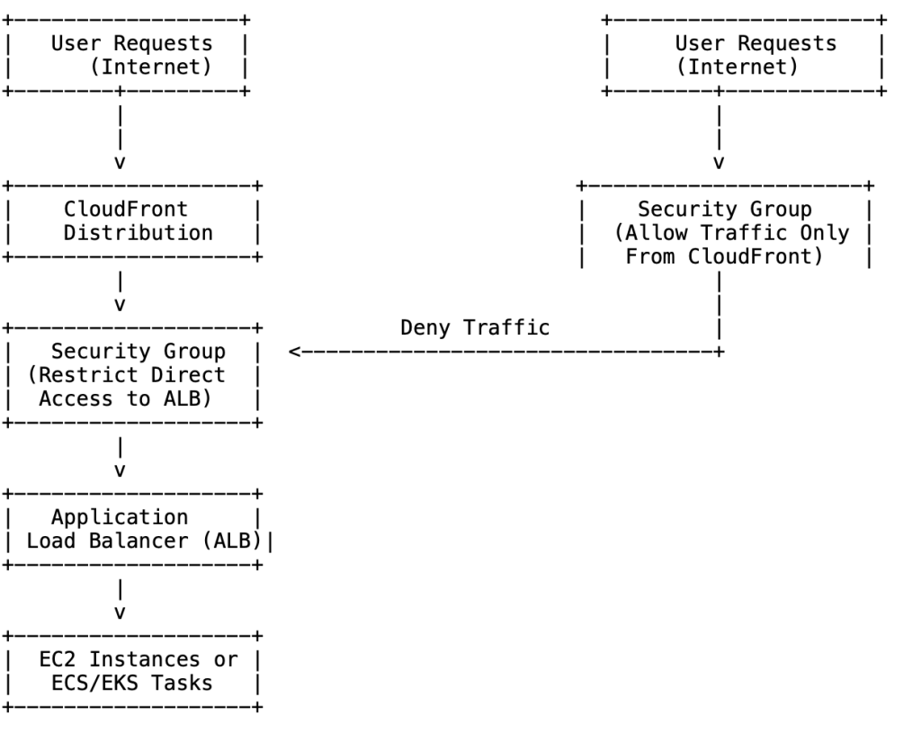
Implementation Steps
- Open the EC2 console, go to your ALB.
- Under Security, click the Security Group.
- Edit inbound rules.
- Remove 0.0.0.0/0 if it’s there (after adding the new rule first).
- Add a new inbound rule:
- Protocol = HTTPS (or what you need).
- Source = AWS-managed CloudFront prefix list.
- Save.
Testing and Validation
- Try hitting the ALB DNS directly → should fail.
- Test through CloudFront → should succeed.
- Double-check ALB access logs and CloudWatch metrics.
Cost Considerations
Security Groups Costs:
- Security Groups themselves do not incur additional costs beyond the standard AWS charges for EC2 and ALB. However, the complexity of rules may impact the management overhead.
- Regular review and optimization of security group rules can help avoid unnecessary complexity and potential performance issues.
CloudFront Costs:
- As with AWS WAF, using CloudFront in conjunction with Security Groups will affect your overall AWS costs. Review the CloudFront pricing page to understand how it may impact your budget.
Best Approach for Restricting Traffic :
Combine WAF and Security Groups
- Each method has strengths. SGs work at the network layer; WAF works at the application layer. If one fails, the other is still standing.
- Think of it like: SG = locked door, WAF = alarm system. Together, your ALB is harder to reach, and CloudFront remains the only valid way in.
Conclusion
The safest option is to apply both WAF and SG restrictions. That way, your ALB isn’t left exposed, and all requests have to pass through CloudFront first. It gives you performance benefits plus a solid security posture.